Personal project management: how to manage personal projects without losing track
Personal project management sounds like overkill until you count what you are juggling: a side project, a home renovation, a course, a job search, a handful of freelance tasks. Nobody is assigning these to you, nobody is chasing you, and nothing breaks loudly when one stalls. It just quietly stops. Here is a lightweight way to run them so that does not happen.
Do you need project management software if you work alone?
Not for one task, and not for a single short project you can hold in your head. The need shows up when you have more than two or three things in flight. At that point the problem is no longer coordination, because there is nobody to coordinate with. The problem is memory and attention: what is waiting, what is next, and what you promised yourself you would finish this month.
A to-do list answers "what do I have to do". A project board answers "where is each thing, and what is stuck". For personal work, the second question is the one that gets lost.
How to manage personal projects in five steps
1. Give every project a finish line
"Get fit" and "improve my website" never end, so they never feel finished. Rewrite each as an outcome you can recognise: "run 5 km without stopping", "publish the new landing page". If you cannot say what done looks like, the project is really an area of life, and it belongs in a different list.
2. Break it into tasks you can finish in one sitting
A task such as "plan the trip" hides ten decisions. Split it until each card is something you can complete in a single session. Use a checklist inside the card for the small steps, and keep the card itself for the one meaningful thing. Small cards give you something to finish, and finishing is what keeps you going.
3. Use a board with three to four stages
Keep it simple: Backlog, This week, Doing, Done. Resist adding more. Every extra stage is another thing to maintain, and the point is to see your whole workload in one glance. If you have not used a board before, our step-by-step kanban board setup takes about ten minutes.
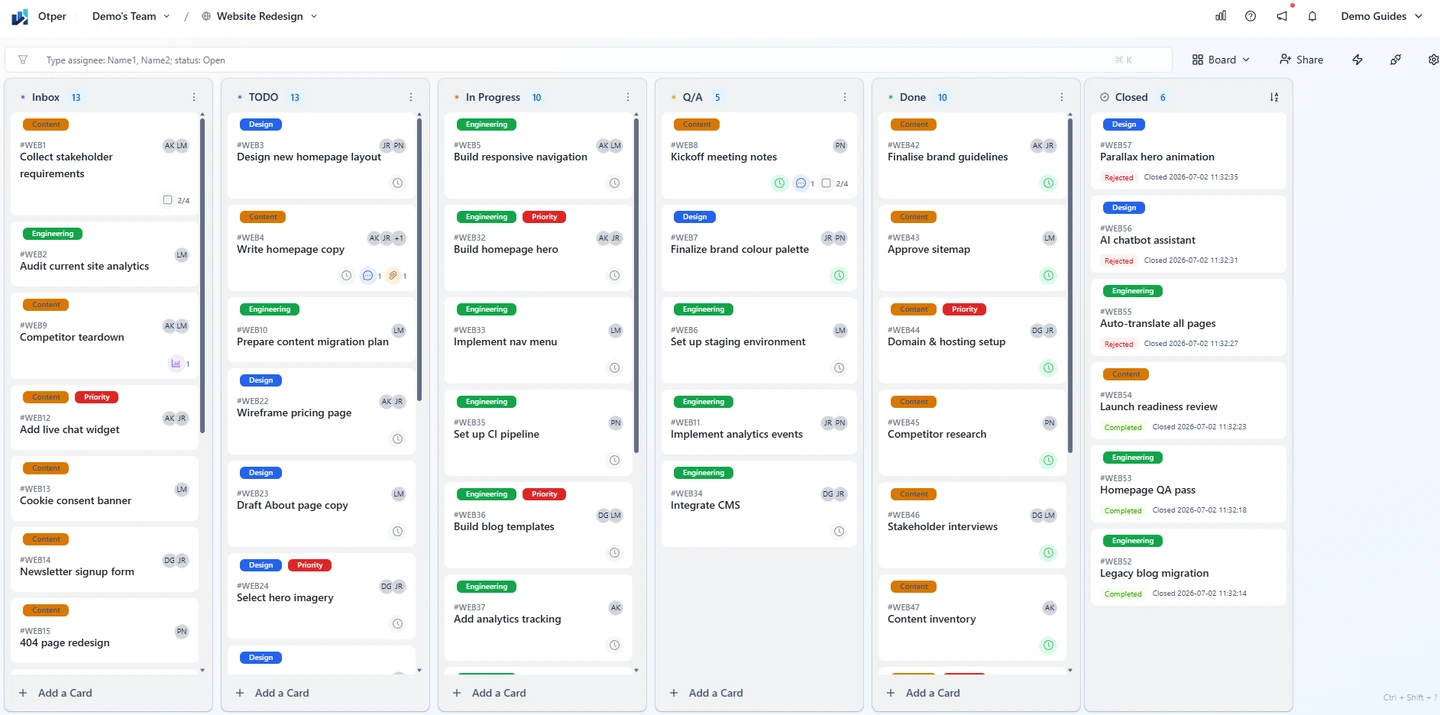
4. Limit what is in progress
This is the single habit that matters most. Allow yourself two or three cards in Doing at a time. When the column is full, you finish something before you start something new. Solo workers rarely run out of ideas. They run out of finished work, because everything is half-done.
5. Review the board once a week
Ten minutes, same time each week. Move finished cards to Done, pick the next few for This week, and look honestly at anything that has sat in Doing for too long. A card that has not moved in two weeks is telling you something: break it down, park it, or drop it.
What to look for in project management software for one person
Most tools are built for teams, so many features you will never touch get in the way. For personal use, these are the ones worth checking:
- A board view. Seeing stages side by side beats scrolling a flat list.
- Due dates and checklists on cards. Enough to break work down and time it, without a heavy setup.
- A timeline. Useful when several projects have real deadlines and you want to see them against each other.
- A mobile app. Personal tasks occur away from your desk, and capture has to be quick.
- A free tier you can actually live on. If the free plan hides the basics, you will end up paying for a tool you use alone.
Using Otper as free personal project management software
Otper was built for teams, but nothing stops one person using it, and the Free plan covers that comfortably: unlimited projects, no credit card, and room to add up to three teammates later if a personal project grows into a shared one. Cards carry start and due dates, labels, checklists, attachments and comments, so a single card can hold a task, its notes and the files it needs.
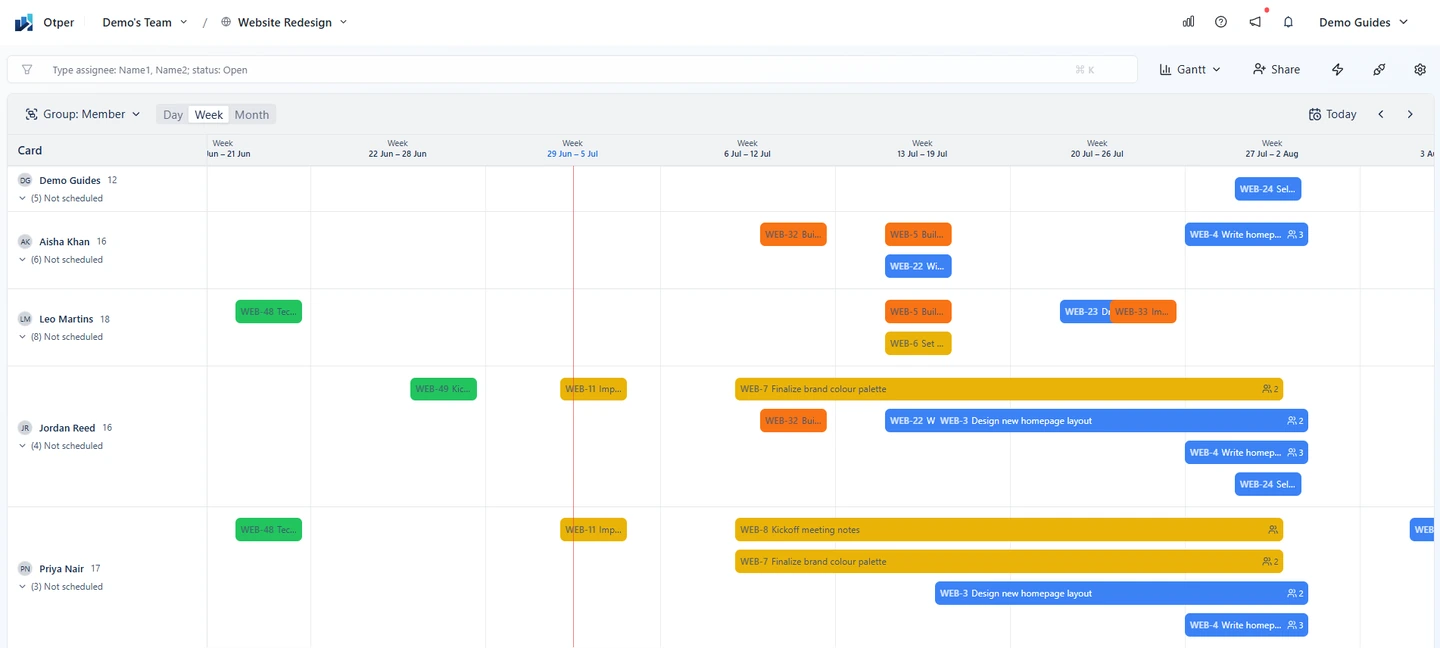
When several projects have real dates, the Gantt view lays dated cards on one timeline you can zoom by day, week or month, and lists undated cards separately, so work you have not committed to stays visible instead of disappearing.
There is also a mobile app, so you can add a card the moment an idea or a task comes up. For a wider look at free options, see our comparison of the best free project management software.
Common mistakes with personal projects
- Starting too many projects. The cost is invisible until none of them finish.
- Building an elaborate system first. A board with four lists you use beats a perfect one you abandon.
- Vague cards. "Work on website" cannot be completed, so it never moves.
- Skipping the weekly review. Without it, the board becomes a graveyard of old intentions.
- Mixing everything on one board. If you run client work too, keep it separate. See how to manage multiple client projects.
FAQ
How do I manage personal projects?
Write down every project with a clear finish line, break each into small tasks, and track them on a board with a few stages such as To do, Doing and Done. Limit how many projects are active at once, and review the board weekly.
Do I need project management software if I work alone?
Not for one small task. It starts paying off once you have more than two or three things in flight, because the real risk for a solo worker is forgetting or losing track of what is waiting, not coordinating with others.
What is the best free personal project management software?
The best one is the one you will open every day. Look for a board view, due dates, checklists and a mobile app. Otper has a Free plan with unlimited projects and no credit card, which covers a single person comfortably.
Is kanban good for personal project management?
Yes. A kanban board shows everything in progress at a glance, and the stages force an honest answer to what you are actually working on right now.
How many personal projects should I run at once?
Fewer than feels natural. Many people find two or three active projects workable, with the rest parked in a backlog list. The exact number matters less than having a limit you respect.
Keep reading
- Set up a kanban board step by step
- Best free project management software
- Managing projects from your phone
Keep your personal projects moving
A simple board, due dates and checklists, on a Free plan with no credit card.
Get started free