Free project management software for nonprofits
Free for up to 3 teammates, with unlimited projects.
It is three weeks to the fundraiser and everything is in a WhatsApp group. You scroll back to check whether anyone confirmed the venue, find two people who each thought the other had, and notice the volunteer who offered to design the flyer has gone quiet. The event date is fixed; the plan around it keeps moving. When you rely on volunteers with changing availability, the next action cannot live in one person’s memory.
Free project management software for nonprofits can give a small coordinating group a shared record of commitments. The useful starting point is a clear workflow for one campaign, with enough detail for someone else to pick up a task when availability changes.
Check the team size before choosing a plan
Otper’s free plan includes unlimited projects, up to three teammates and core reporting. It can fit a small nonprofit team coordinating delivery, but it should not be described as free access for an unlimited volunteer roster. Count the people who need workspace access and check the current pricing before inviting them.
Separate the software budget from the coordination effort. A tool with a free tier still needs somebody to keep the plan understandable, review access and help new participants use it. Begin with a process your organization can maintain between busy periods.
Turn the event into deliverables
For nonprofit project planning, start with the result you need: a confirmed venue, a published registration page, a ready volunteer briefing and an agreed event schedule. Create an Otper board for the initiative, then break those deliverables into cards.
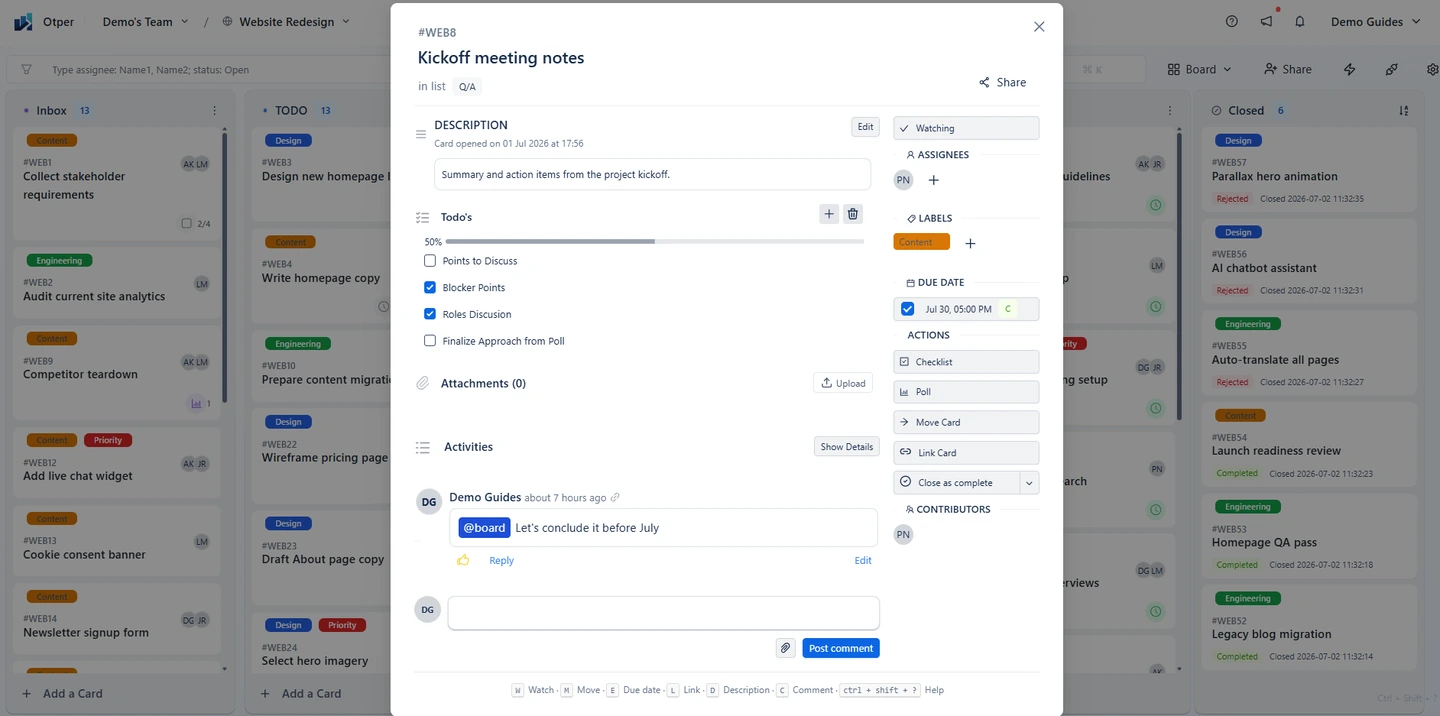
A card called “Venue” is difficult to act on. “Confirm the booking and attach the written confirmation” tells the coordinator what finishing means. Add a due date where timing affects the rest of the event and a checklist for supporting steps.
Make changing availability manageable
Volunteer coordination depends on clear handoffs. Record who is taking the next action, what they need and when they can realistically do it. If someone steps back, update the assignees and leave a short note explaining what has already happened, on the card rather than in a WhatsApp group where it scrolls out of sight.
Use comments and attachments to preserve the relevant context. Keep sensitive beneficiary or donor information in systems intended for those records; a delivery card usually needs an action and a reference, rather than a copy of every underlying document.
Get the event plan out of the group chat
One board for the campaign, a named owner on every task, and handoffs recorded on the card.
Start your campaign boardWork backward from the campaign date
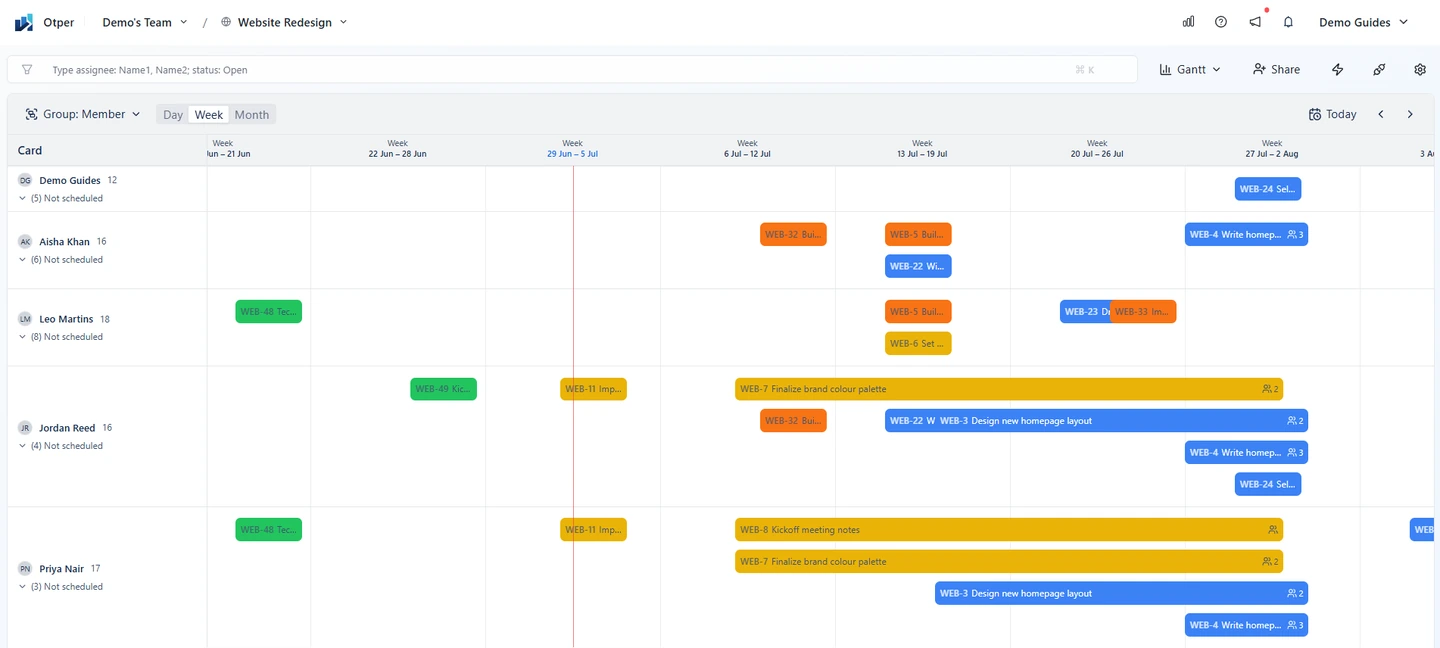
Fundraising campaign planning often has a fixed launch date but flexible internal steps. When the event date is fixed, the only thing you can move is when the preparation starts. List what must be approved before publishing: copy, artwork, a working donation link and the communications schedule. Give those preparation tasks dates that leave room for review.
Otper’s Gantt view shows dated cards on a timeline. Use it to spot several commitments landing in the same week, then decide whether to start earlier or reduce the scope. The timeline makes your dates visible; it does not replace a discussion about capacity.
Keep waiting work visible
Ready, In Progress, Waiting and Done can be enough for event task management. When something enters Waiting, add a comment explaining the external response or decision needed. Otherwise, that list becomes a place where work disappears.
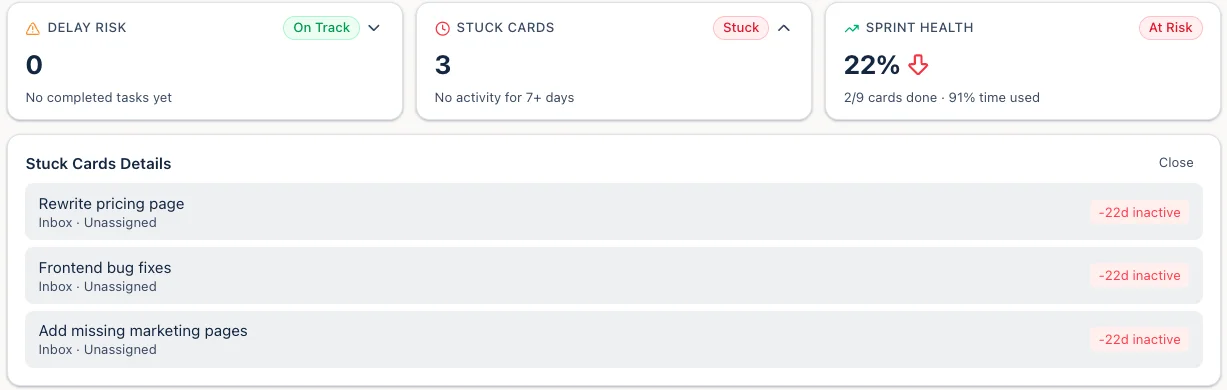
At a short weekly check-in, review upcoming dates and the oldest unfinished cards. Core reporting can support that review, but a small initiative may get most of its value from simply keeping the board accurate. Ask for a decision when one is needed rather than collecting a long update from everyone.
Save the lessons after delivery
Once the campaign or event ends, record the parts that took longer than expected and the steps worth repeating. Keep the completed board as a reference for the next initiative. A modest process that survives the busy week is more valuable than an elaborate plan nobody has time to update.
Ready for the next campaign?
Set the board up now, while the lessons from the last event are still fresh.
Frequently asked questions
Is there free project management software for nonprofits?
Otper's free plan is $0 for up to 3 teammates with unlimited projects and core reporting. It suits a small coordinating group, but it is not free access for an unlimited volunteer roster, so count who genuinely needs workspace access.
How do we coordinate volunteers with changing availability?
Record who is taking the next action and what they need on the card itself. Each card keeps a contributor history of who held it and when they handed it on, so a handoff stays answerable after someone steps back.
How do we plan backwards from an event date?
List what must be approved before the date, give those steps dates that leave room for review, and use the Gantt view to spot several commitments landing in the same week.
Where should donor or beneficiary data live?
Not on a delivery card. Keep personal records in the systems intended for them; a card usually needs an action and a reference rather than a copy of the underlying document.