Project management for remote teams across time zones - handoffs that don't wait for someone to wake up
A colleague finishes a draft after your working day ends. By morning, you can see the file but cannot tell whether it needs approval, editing or publication. You send a message and wait for their next working window. Nothing dramatic has gone wrong, yet a small ambiguity has cost a day.
Project management for remote teams depends on making the next action understandable without a live explanation. A shared board provides the place; clear responsibility and written context provide the habit.
Write cards for someone who is offline
Give each Otper card a concrete outcome, relevant files and enough background to act. Identify the person responsible for the next step and explain what completion requires. Several people can be assigned, so agree on an accountable lead when a task needs one.
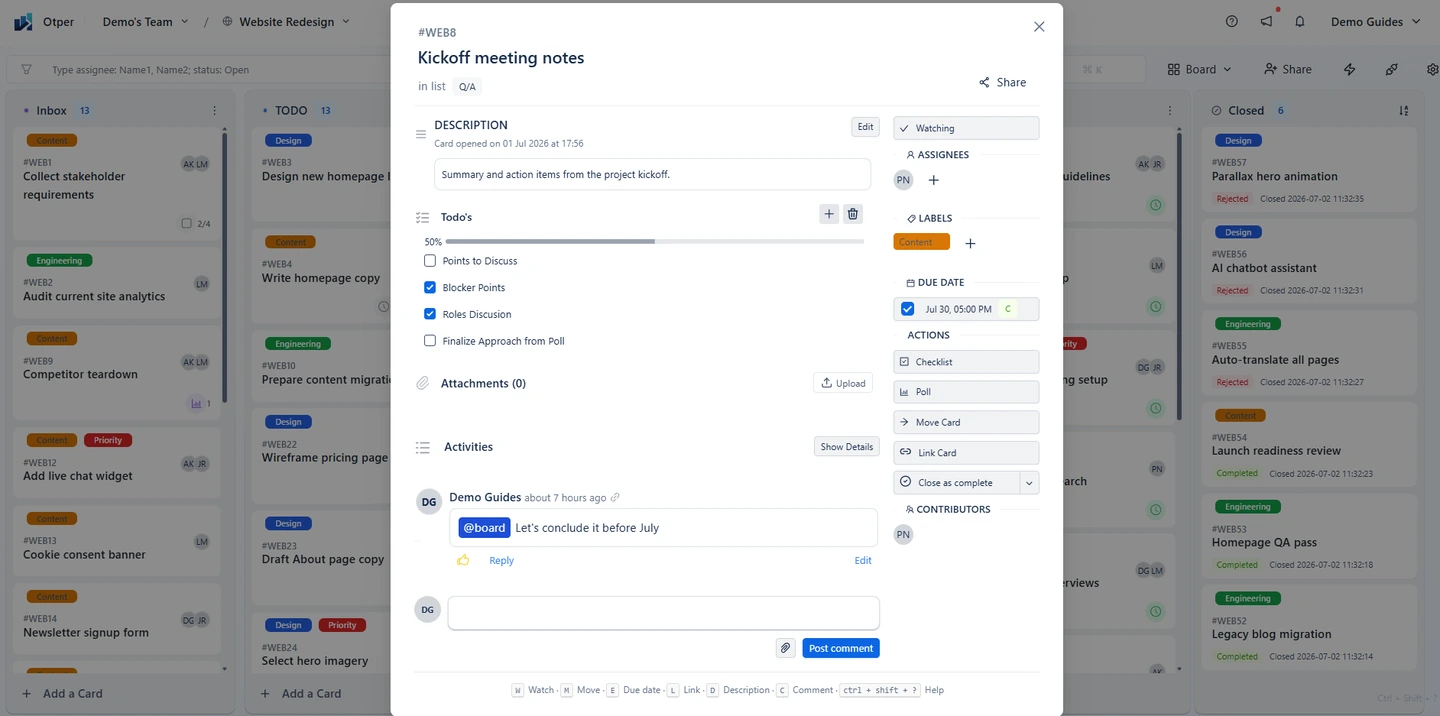
Task ownership becomes useful when it answers a practical question: who will resolve the next uncertainty? If a deliverable needs a reviewer, name that role explicitly in the discussion instead of assuming everyone assigned to the card will notice. Otherwise the next person can't tell if it needs approval, and waits to ask.
Design stages around handoffs
A distributed team workflow might use Ready, In Progress, Review and Done. Define the entry rule for Review: the draft is attached, the review request explains what feedback is needed, and the reviewer knows the expected response date.
Keep stages meaningful across locations. “Done” should refer to the same acceptance criteria for everyone. If you use a Waiting stage or a label for blocked work, record the reason and the person who can help. That makes it possible to investigate without opening a new conversation first.
Make the next handoff readable while you are offline
Stage rules, a named owner and the context your teammate needs, all on the card.
Set up your shared boardLeave a useful end-of-day update
Time zone handoffs do not need a long report. On the relevant card, write what changed, what remains and the decision or action needed next. Include a link or attachment when another person will need it. Update the stage when the work is genuinely ready to move.
This is asynchronous collaboration in practice: information arrives where the next person will look for it. It works best when the team agrees how quickly review requests should receive a response, accounting for working hours rather than expecting constant availability.
Keep chat connected to the work
Chat is useful for a quick question, but a decision that changes scope or timing belongs on the card too. When the status lives in a thread, the person who was asleep during the conversation has to scroll back to find it. Otper’s Slack integration can send configured board updates to channels and create cards from messages. Choose the events that matter so notifications remain useful.
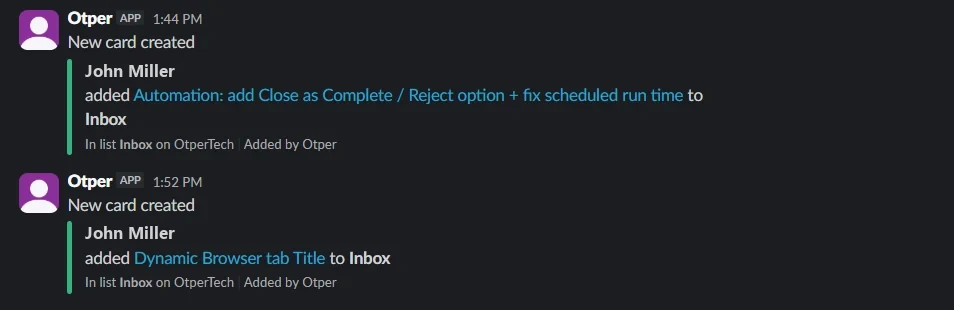
For remote task management, avoid turning every message into a task. Capture an actual commitment when it has an outcome and someone can take responsibility. Keep the surrounding discussion brief enough that a teammate can find the decision later.
Review delays before adding meetings
Look at upcoming due dates and work spending unusually long in a stage. Otper reporting includes throughput, stuck-card detection and stage bottleneck insights. These observations can show where to investigate; they do not tell you every cause or predict an exact delivery date.
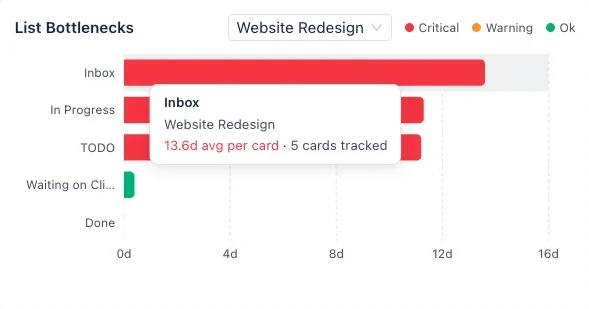
If Review repeatedly slows down, check whether requests are clear and reviewers have capacity. Another daily call may not solve either problem, and a teammate who waited a whole working day for a review will not get that day back from a meeting. Reserve live discussion for choices that benefit from it, then record the outcome where the work is tracked.
Agree on a small operating routine
Start with one shared board, explicit stage rules and a short planning review each week. Decide when cards should be updated and how to signal an urgent issue. Keep those expectations realistic across working schedules.
The remote ownership guide explains board membership and contributor history in more detail. Try the routine on one project before expanding it, and use the pricing page to check the member limits that apply to your group.
Stop losing a day to time-zone handoffs
Start with one shared board and a short weekly review, then expand once it works.
Frequently asked questions
How do you keep ownership clear across time zones?
Put a single named owner on the card so responsibility is readable from the board rather than remembered from a call. Assignees are drawn from board members, and each card keeps a contributor history of past owners.
Can a board replace a daily standup?
It can replace the status-gathering part. If the board answers what is blocked, what is over its limit and what has not moved in seven days, the remaining meeting is for decisions that need discussion.
How do we stop work stalling in handoffs?
Give every column a work-in-progress limit. Past the soft limit the column turns amber as a warning; at the hard limit it refuses new cards until something leaves, which makes a stalled stage impossible to ignore.
Does Otper work on mobile?
Yes. Boards, cards, comments and attachments are available on the mobile apps, so someone away from their desk can update work without it landing outside the board.