Project management for agencies: know which client deliverable is stuck before the client does
Client work gets difficult at the handoffs. The brief is in an email, the draft is ready, and the account manager assumes the client has seen it. Meanwhile, the designer starts another request. A week later, the missed approval looks like a production delay.
Project management for agencies works best when those handoffs are visible. Your process should show what is ready, what needs a decision and who will take the next action. A board helps only when its stages reflect how your engagements actually move.
Give each engagement a clear boundary
Create one Otper board per client engagement or substantial project. Keep the brief, deliverables and working discussion together. Separate boards help your team distinguish unrelated commitments without relying on a long naming convention for every task.
For client project management, define the outcome before filling the backlog. A website launch might include approved page designs, implemented pages and a release check. An open-ended “website improvements” board needs regular scope decisions or it will become a scope creep queue that never empties.
Make the approval stage explicit
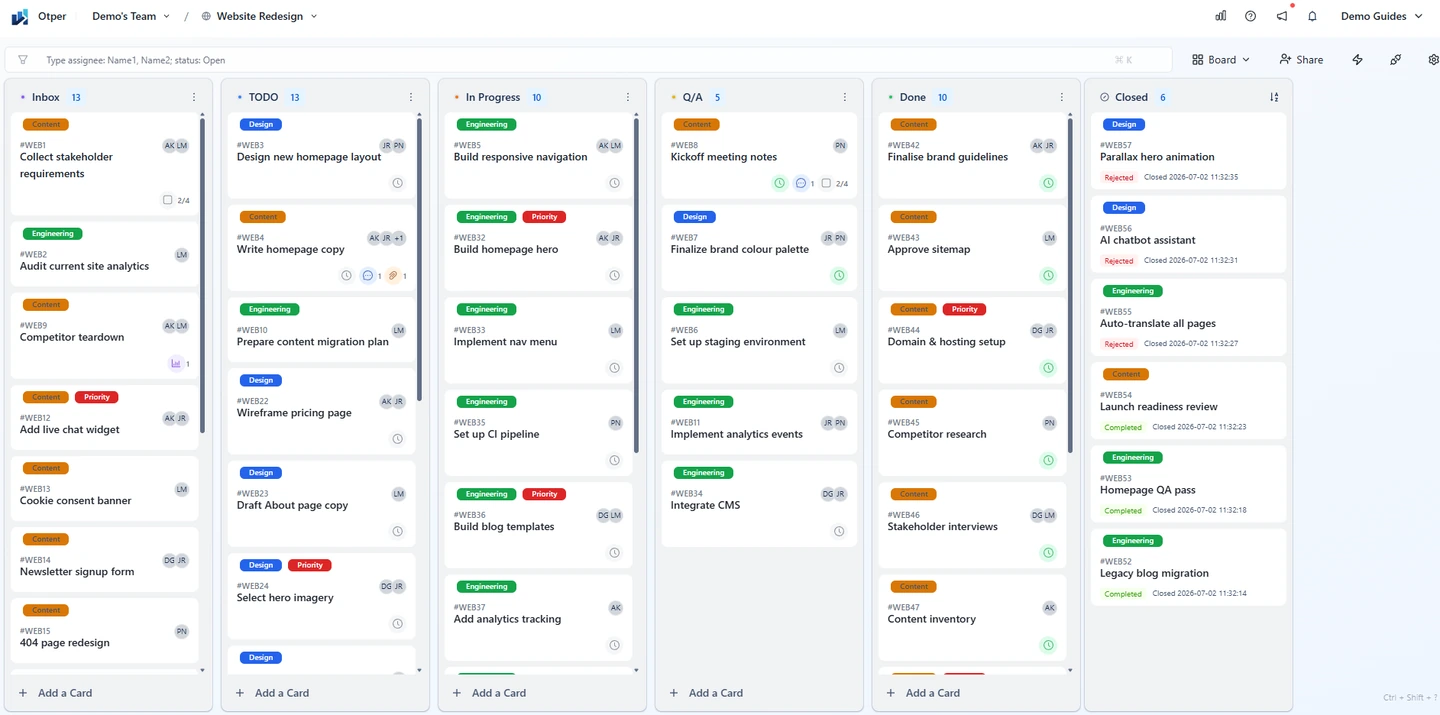
A practical agency workflow might use Briefing, Ready, Production, Internal Review, Client Review and Done. Add stages only for handoffs you need to inspect. Agree what must be true before a card moves forward: the draft is attached, the reviewer is identified and the request for feedback is clear.
- Briefing
- Ready
- Production
- Internal Review
- Client Review
- Done
The creative approval process needs a person responsible for following up. Choose that person on the card and record the expected response date. A label can identify work waiting on feedback. Avoid marking a deliverable complete simply because production has stopped; completion should match the engagement’s agreed acceptance criteria.
Use kanban to limit concurrent work
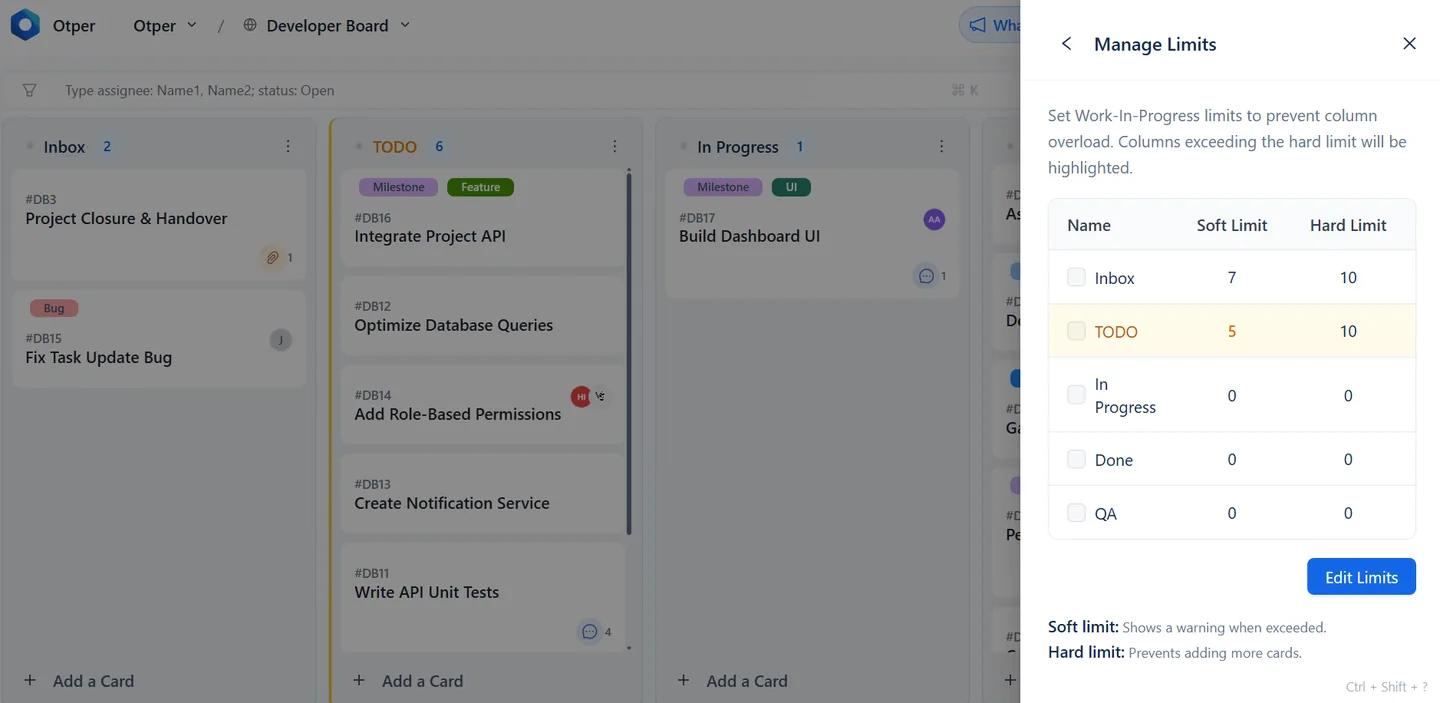
Kanban for agencies is particularly helpful when specialists share their time across several clients. If a designer has six pieces in production, starting a seventh can make every delivery slower. Finish or unblock an existing item before adding another commitment.
Otper supports soft list limits that warn and hard limits that refuse additional cards beyond the configured capacity. Choose limits as a team based on how you work. These controls operate on workflow lists; they do not automatically allocate staff hours or replace your resource planning decisions.
Keep responsibility beside the deliverable
Add the relevant board members to a card and agree on one accountable lead for the next step. Multiple assignees are supported, so single-person accountability is a convention you establish. Put files, comments and review decisions on the card so a teammate can understand the work without reconstructing a chat thread.
When feedback changes the scope, write down what changed and revisit the date before making another promise. The board should preserve that decision, not hide it behind an apparently unchanged due date.
Put one live engagement on a board this week
Owners, approvals and client feedback on the card, not spread across email and chat.
Start your agency boardReview the queue before the status call
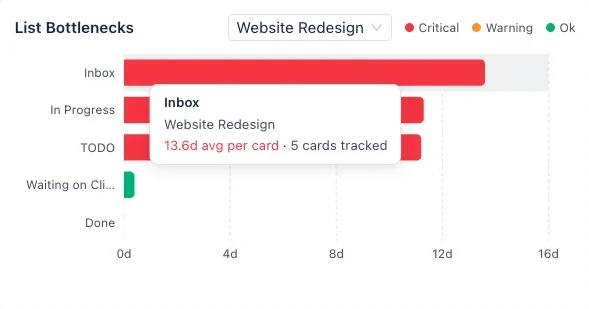
If your Friday update takes an hour to assemble, the information is in the wrong place. Look at completed work, upcoming dates and cards that have spent a long time in review. Otper’s reports include throughput, stage bottleneck insights and workload views. Use them to identify where a conversation is needed, then inspect the underlying cards. The guide to reducing status meeting time shows how to run that review.
A client update can be short: what was delivered, what is next and which decision is needed. Read the guide to managing multiple client projects for a deeper look at separating engagements while keeping delivery visible.
Start with a single live project
Try the workflow on an engagement your team already understands. After a week, ask which stage was ambiguous and whether approval requests were easy to find. Adjust those details before rolling the same process out everywhere. Otper’s free plan covers up to three teammates; check paid-plan costs as your working group grows.
If you are weighing up tools, the Otper vs Trello comparison sets out where each tool fits, the industries overview shows how other teams set up their boards, and the full comparison list covers the other tools agencies often shortlist.
Built for agencies of 3–20 people running 5–30 engagements.
Run your next client engagement in Otper
Start with one engagement your team already knows, then roll the workflow out once it sticks.
Frequently asked questions
How should an agency structure boards for multiple clients?
One board per engagement keeps client work separate and makes access easy to scope. Reporting can then be scoped across several boards at once when you need a view of the whole studio.
How do I see which client project is slipping?
Reporting shows throughput, the median days work actually takes, average days per stage ranked and scored, and cards with no activity for seven days or more. Scope it to the boards in play and the drifting engagement stands out.
Can I see who is overloaded across client work?
Yes. Workload reporting breaks work down per person and compares each member's share of active work against the team average, flagging anyone carrying more than their share.
Does Otper handle billing or time tracking?
No. There is no time tracking, invoicing or budget tracking in Otper. It covers delivery, so agencies generally run it alongside whatever they already use for billing.