Kanban for service teams: how support and service teams turn ticket chaos into a visible flow
A customer emails at 9:12. Two people reply by 9:30, with slightly different answers. A second request arrives at 10:05 and nobody replies at all, because everyone assumed someone else had it. Service work rarely fails because the team is slow. It fails because nobody can see the work. Kanban for service teams fixes that by putting every request on a board where its stage, its owner and its age are visible to everyone.
Why service work breaks without a visible board
A shared inbox is a list of messages, not a list of work. It cannot show which requests are being handled, which are waiting on the customer, and which have been forgotten. The symptoms are familiar:
- Duplicated replies. Two people answer the same customer because neither saw the other start.
- "I thought you had it." A request with no clear owner belongs to no one.
- Silent ageing. A stalled ticket looks exactly like an active one, until the customer chases.
Kanban for support teams fixes all three: each request is a card, each stage is a column, and "where is this?" is answered by looking rather than asking. For the general case, see our guide to kanban for teams.
The service team workflow that works
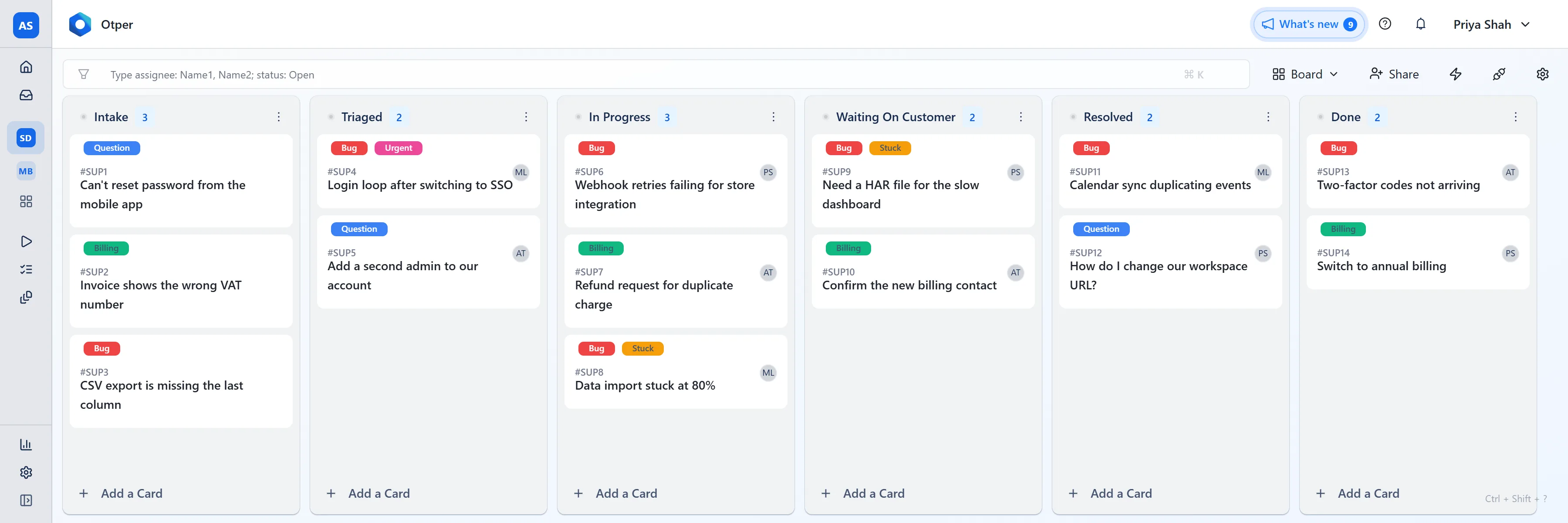
Service work has a stage delivery boards usually lack: waiting on someone outside the team. Give it its own column, or it hides inside "In progress". Six columns cover most teams:
- Intake - every new request lands here. Nothing is promised yet.
- Triaged - read, labelled by type or priority, and given an owner.
- In progress - the owner is actively working on it.
- Waiting on customer - the next move is theirs: a screenshot, an approval, a reply.
- Resolved - the answer has been sent; waiting for confirmation.
- Done - confirmed, or closed after a reasonable silence.
This is why kanban for support teams works so well: every support ticket becomes a visible card, and the team agrees it carries exactly one name.
If "In progress" starts to swell, add a work-in-progress limit: Otper's soft limit turns the column amber as a warning, and a hard limit refuses new cards until something leaves. See the kanban boards page.
Every ticket gets one name
The habit that removes most service chaos: a request leaves Triaged with exactly one accountable person on it. Others can help or comment, but one name answers "who is handling this?"
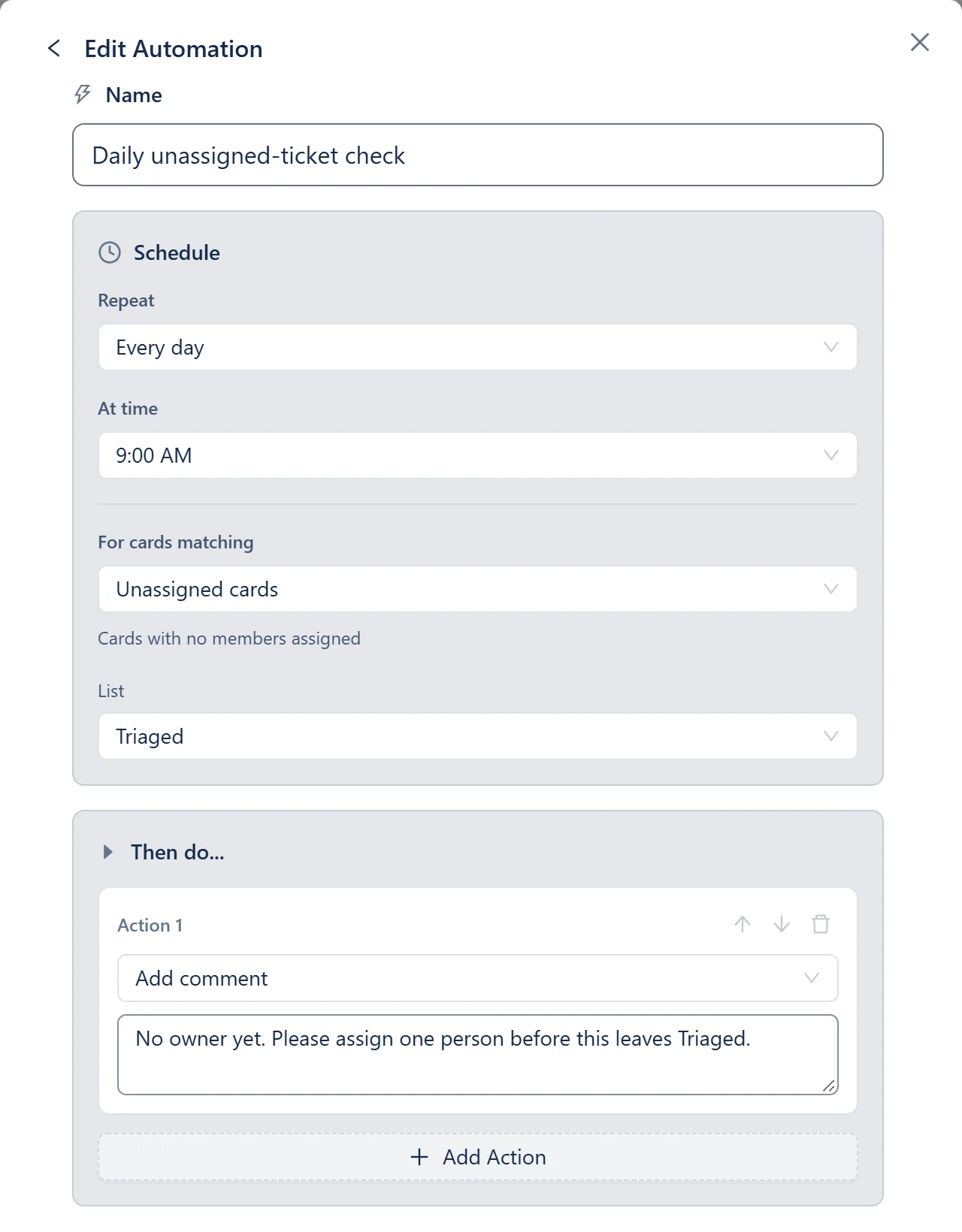
Otper allows several assignees on a card, so "one name" is a team rule, not something the software forces. A scheduled automation can catch unassigned cards, and the Workload Distribution report shows each person's share of active cards against the team average, so work does not pile up on the most responsive person. More on the owned work page.
Three people on the support desk? The whole team fits on the free plan
Unlimited projects and core reporting, with no trial clock and no credit card.
Create your free workspaceThe 7-day flag for stuck tickets
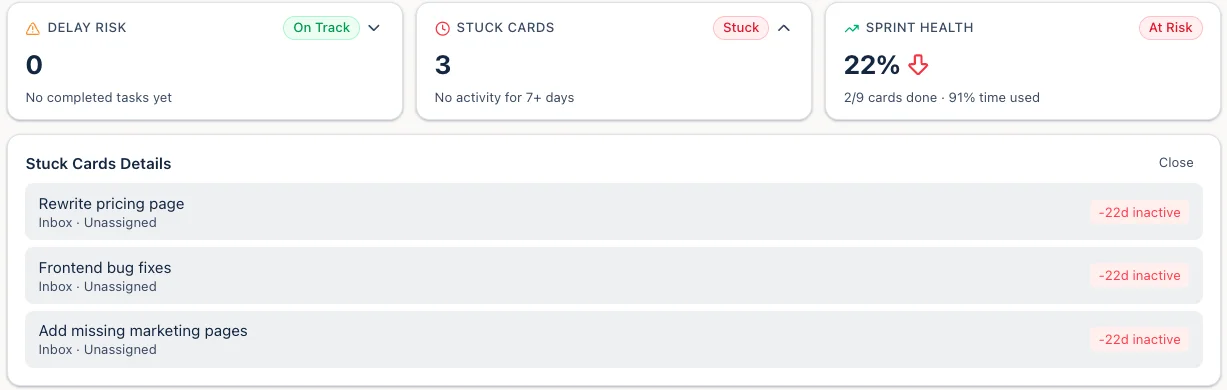
The tickets that hurt are rarely the hard ones. They are the ones nobody touched for a week. Otper's reports flag any card with no activity for seven days or more as stuck, listing its column and assignee, so the weekly review becomes a short list instead of a scroll through the board. Without work-in-progress (WIP) limits, the board turns back into the same invisible queue as the inbox.
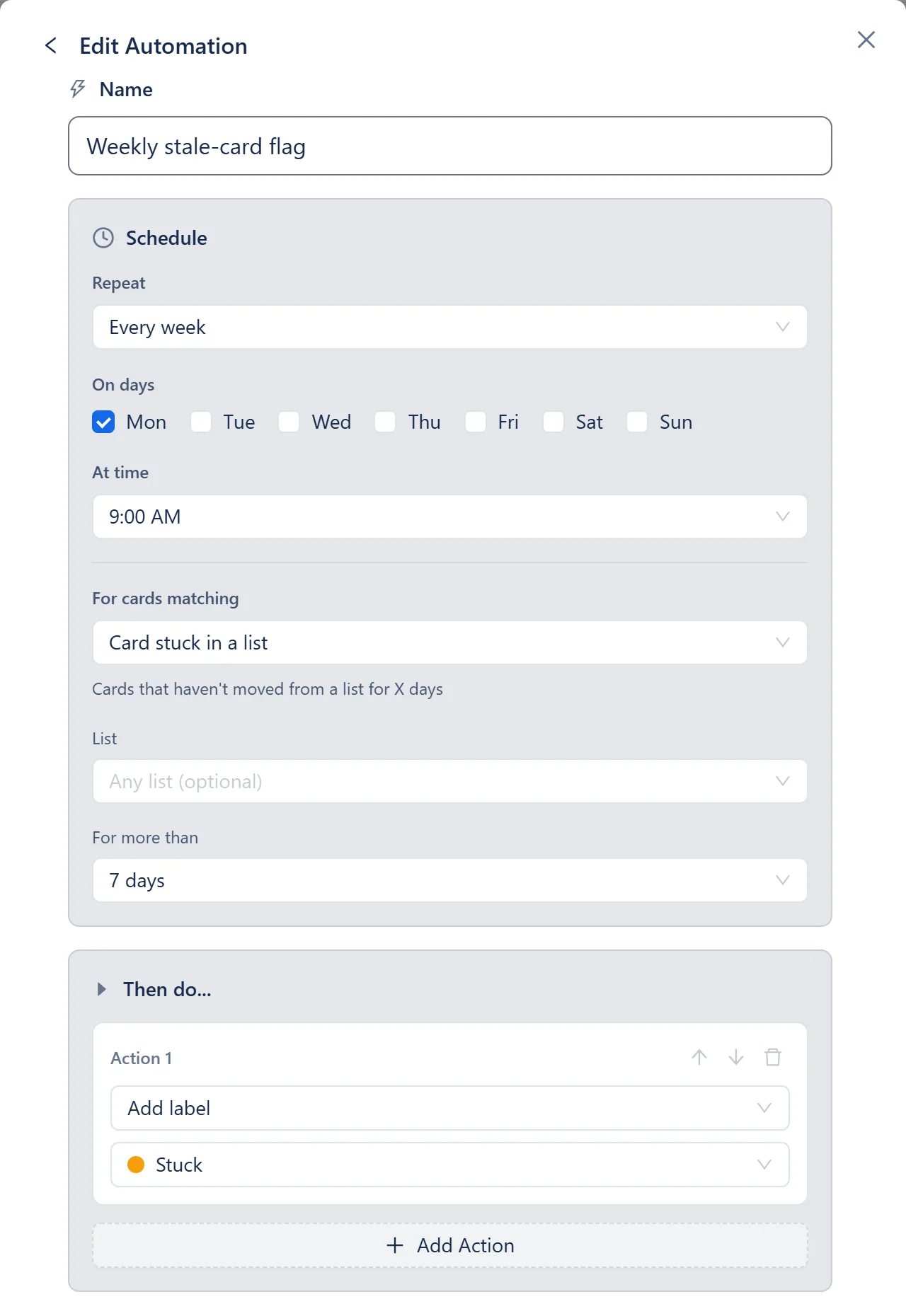
To flag them on the board itself, use the Weekly stale-card flag automation template. Every Monday morning it labels cards that have not moved for seven days; pick an amber label and stuck tickets stand out before stand-up. More signals on the project tracking page.
Which metrics matter
First response time
How long a customer waits for the first reply. Otper does not time first responses, so if you have promised a response window, measure it in the tool that sends the reply.
Cycle time
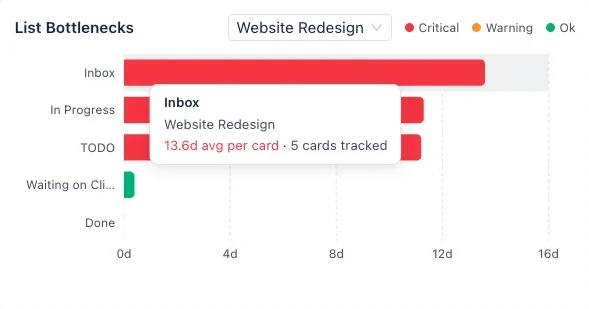
How long a request takes once work starts. Otper reports the closest equivalents rather than a metric with that name: median completion days (created to closed) and average days per column. The second one shows support tickets sitting in Waiting on customer for days separately from time actually spent In progress.
Throughput
Requests created against requests completed. If intake keeps outrunning completion, the backlog is growing before anyone feels it.
Skip external benchmarks; watch your own trend week to week. The reporting page lists what is built in, and our how to spot bottlenecks in your flow explains each one.
Set this up in 10 minutes
- Create a support ticket kanban board with the six columns above.
- Add labels for request type or priority (Bug, Question, Billing, Urgent), plus an amber "Stuck" label.
- Add the Weekly stale-card flag automation and point it at the Stuck label.
- Agree the one-name rule: nothing leaves Triaged without an owner.
- Decide how requests reach Intake.
Getting requests onto the board. A board admin can turn on Email to Board in board settings. Anything sent to the board's address becomes a card in Intake, and the sender, who needs no account, gets a confirmation; their replies land on the card as comments. Top-level comments you write are emailed back to them, while replies to a colleague's comment stay internal. If requests start in chat, the Slack kanban board guide shows how to turn a message into a card.
For small teams looking for a free kanban board, Otper is free for up to 3 teammates with unlimited projects and core reporting. The pricing page shows which reports each plan includes.
Put this week's tickets on a board
Six columns, one name per ticket, and a flag for anything that stops moving. Free for up to three teammates.
FAQ
Can a kanban board work as a service desk?
For many small service teams, yes. A board gives every request a visible stage, a named owner and an age, which is what most teams are missing when work lives in a shared inbox. If you are contractually bound to response-time targets, need SLA timers, or want a customer-facing portal, a dedicated help desk is built for that and a kanban board is not a replacement.
What is the difference between kanban and a ticketing tool?
A ticketing tool is organised around the individual request and the conversation with the customer. A kanban board is organised around flow: which stage each piece of work is in, who owns it, where work is piling up and what has stopped moving. Some teams use one, some use both, with the board tracking the internal work behind each ticket.
Is kanban good for support teams?
Yes. Kanban for support teams works because every support ticket becomes a card with a visible stage, and the team can agree on one owner per ticket, so nothing gets answered twice or not at all. Otper is free for up to three teammates, so a small support desk can try it at no cost.
Is there a free kanban board for support teams?
Yes. Otper has a Free plan with unlimited projects and core reporting for up to three teammates, with no credit card required. A small support team can run its whole workflow on a support ticket kanban board before deciding whether it needs more seats.