Project management with Otper
Otper helps project teams turn plans into visible, owned work. Use boards for flow, cards for execution detail, Gantt view for timing, and reports for what actually happened.
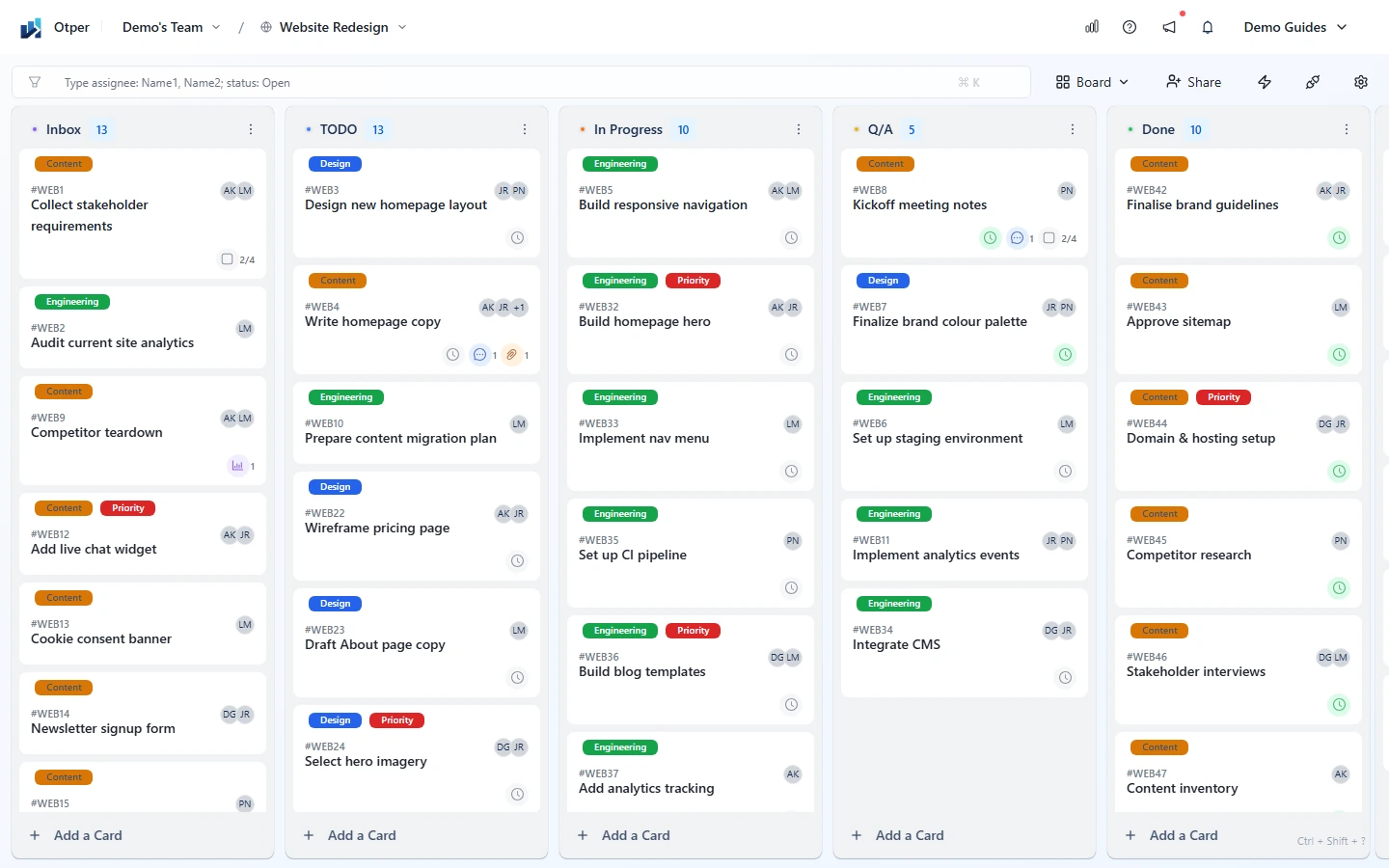
Step-by-step project setup
-
1. Create a board for the project
Give the project its own board so status, ownership, and reporting do not get mixed with unrelated work. Start with Inbox, TODO, In Progress, and Done, then add stages such as Discovery, In Review, QA, Blocked, or Waiting when they match real handoffs. Read the board setup guide.
-
2. Break the plan into owned cards
Create one card per deliverable or task. Add members, start dates, due dates, labels, checklists, attachments, and comments so the card can stand on its own. If a task needs a decision, use comments, mentions, or a poll instead of moving the discussion elsewhere. Read the card guide.
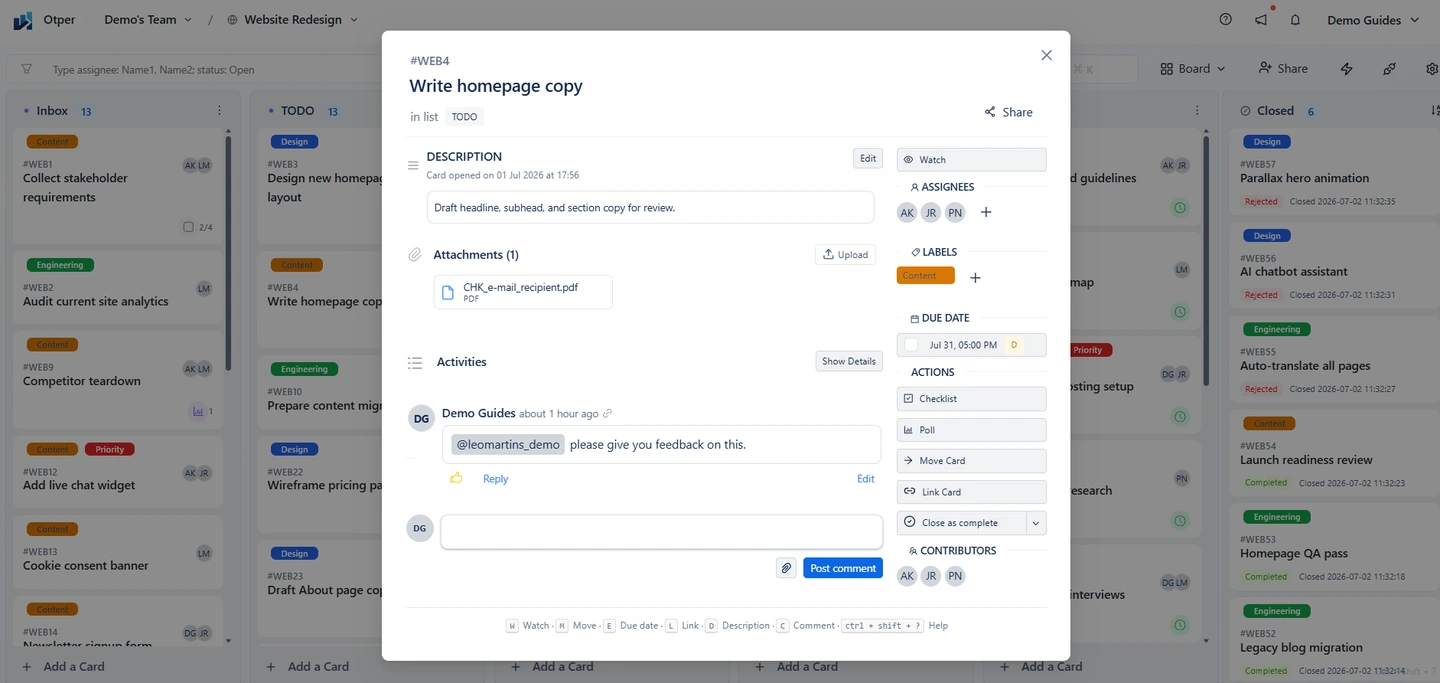
A project card should make responsibility, timing, progress, and decisions easy to inspect. -
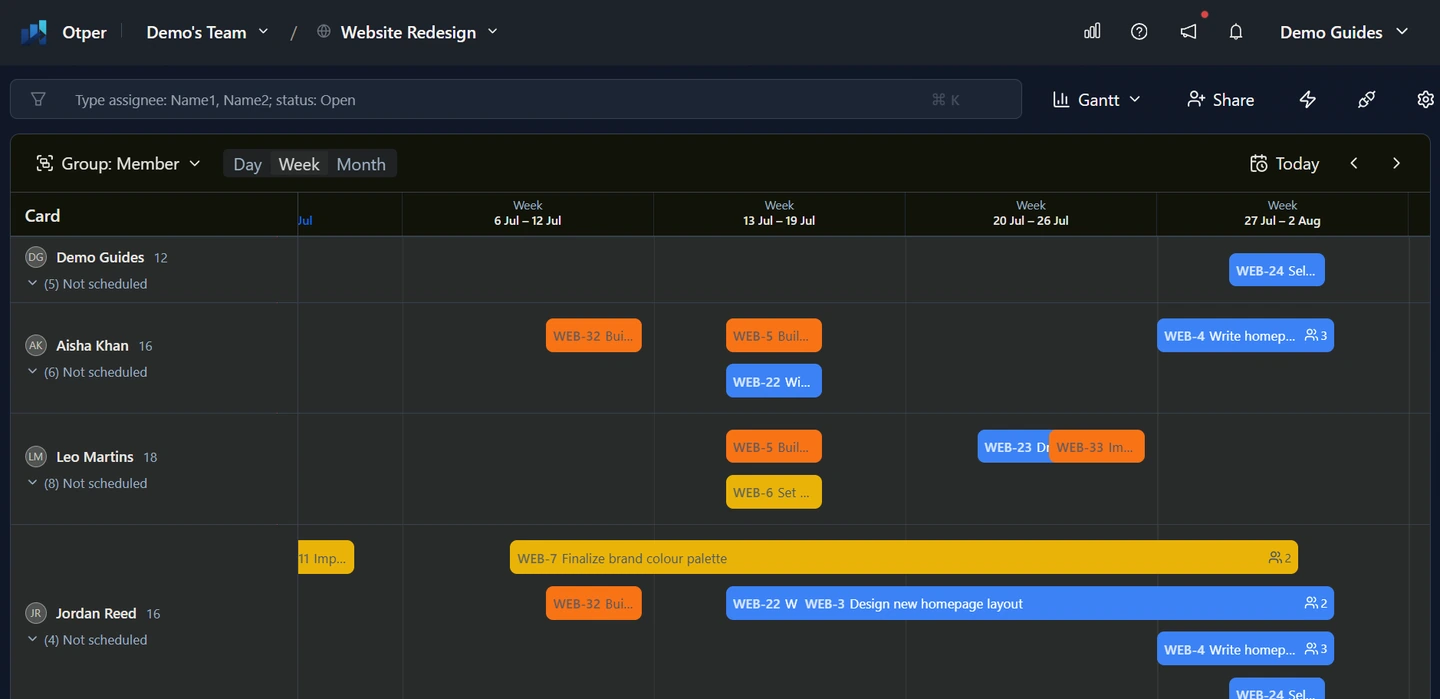
3. Plan timing with Gantt view
Use start and due dates on cards, then review the project in Gantt view to spot schedule risk. This helps the team see what is due soon, what overlaps, and which stages are carrying too much work.
-
4. Keep stakeholders aligned
Invite collaborators with the right board role, use mentions for decisions that need input, and keep files attached to the relevant cards. For external systems or team workflows, use board integrations such as Slack, webhooks, and automations where they fit the project.
-
5. Review delivery with reports
Reports help turn project activity into evidence: total cards, completed work, overdue work, list bottlenecks, member workload, label distribution, throughput, and board comparisons. Review these signals at milestones and retrospectives so the next phase is based on data.
See the project three ways
The same project data can support different operating rhythms:
- Board - best for daily execution, handoffs, and bottleneck discovery.
- List - best for scanning many cards, triage, and focused review.
- Gantt - best for timeline planning, date review, and schedule risk.
Example project workflow
For a marketing launch, use Inbox, TODO, Drafting, In Review, Scheduled, and Done. Apply labels for workstream, assign each card to the person responsible for delivery, attach creative files to the card, and review Gantt view every week. After launch, use reports to compare planned work, completed work, overdue cards, and bottlenecks.
Project checklist
- One board created for the project
- Lists match the delivery process
- Every committed card has a responsible member and due date
- Labels identify priority, workstream, or risk
- Gantt view reviewed for timing and overlap
- Comments, files, and decisions kept on cards
- Reports reviewed at milestones or retrospectives
FAQ
Should each project get its own board?
Usually, yes. A dedicated board keeps status, roles, labels, and reports focused on that project.
How do I keep stakeholders informed?
Invite stakeholders with an appropriate board role when they need access, mention them on decisions, and use reports for progress review.
What do reports help me understand?
Reports help reveal throughput, overdue work, workload distribution, list bottlenecks, label mix, and board-level delivery trends.
Troubleshooting
| Symptom | Likely cause and fix |
|---|---|
| Status is always out of date | Work is being tracked outside the board. Move cards as work changes and keep decisions on the card. |
| Cards accumulate in one stage | That stage is a bottleneck. Add capacity, split the stage, or reduce work entering it. |
| Deadlines slip without warning | Set dates on committed cards and review Gantt view in a recurring project check-in. |
Related guides
Run your next project in Otper